


3D Character Pipeline: Bringing Eve to Life for 3D Animated Horror
An in-depth look at the iconic Apple Rot Designs

Apple Rot


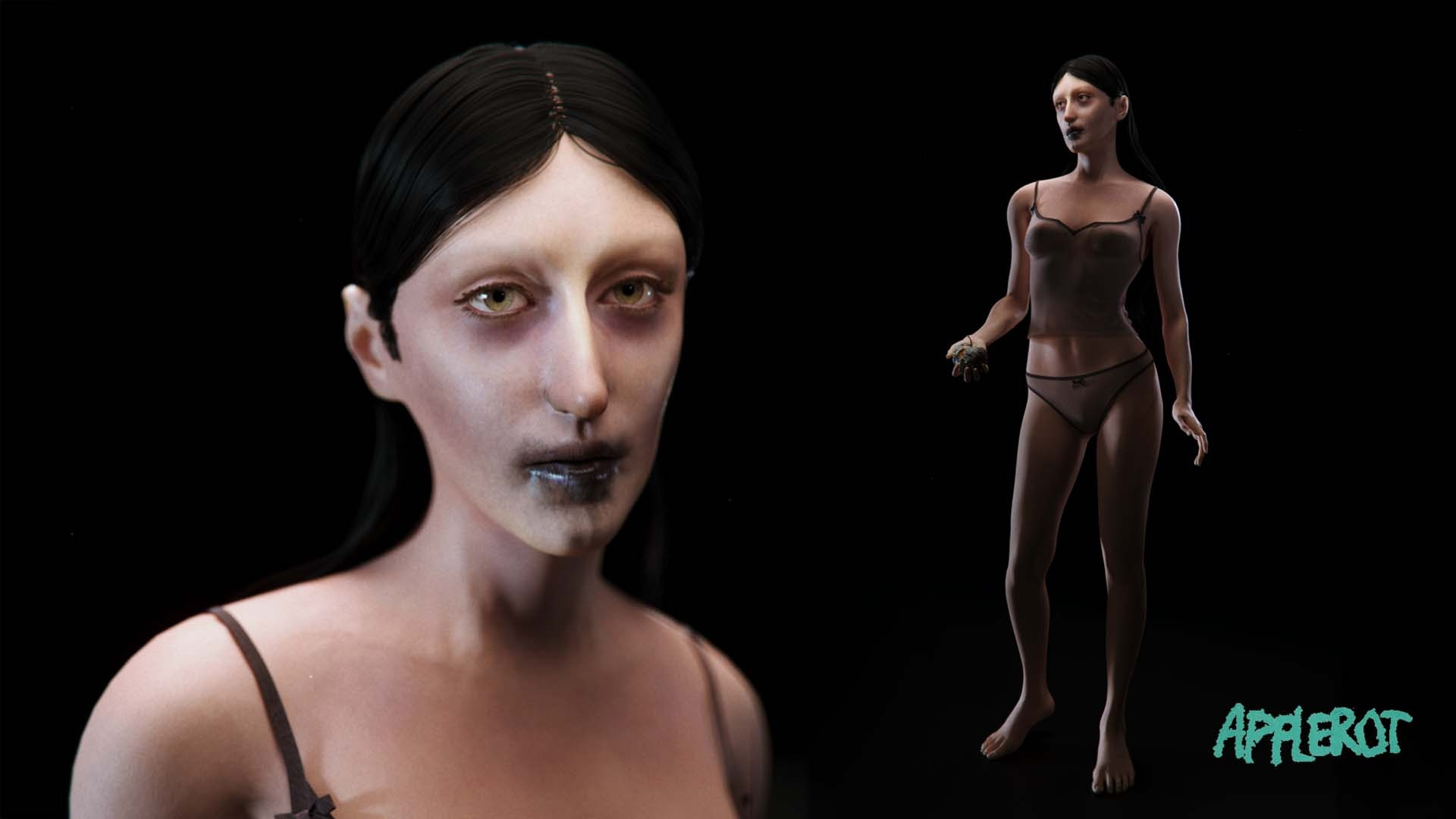


The film was developed in the fall of 2025, on a tight schedule, with a small team and limited resources.
Within that scope, every technical decision carried weight, particularly the process of bringing one of our main characters, Eve, to life in 3D.
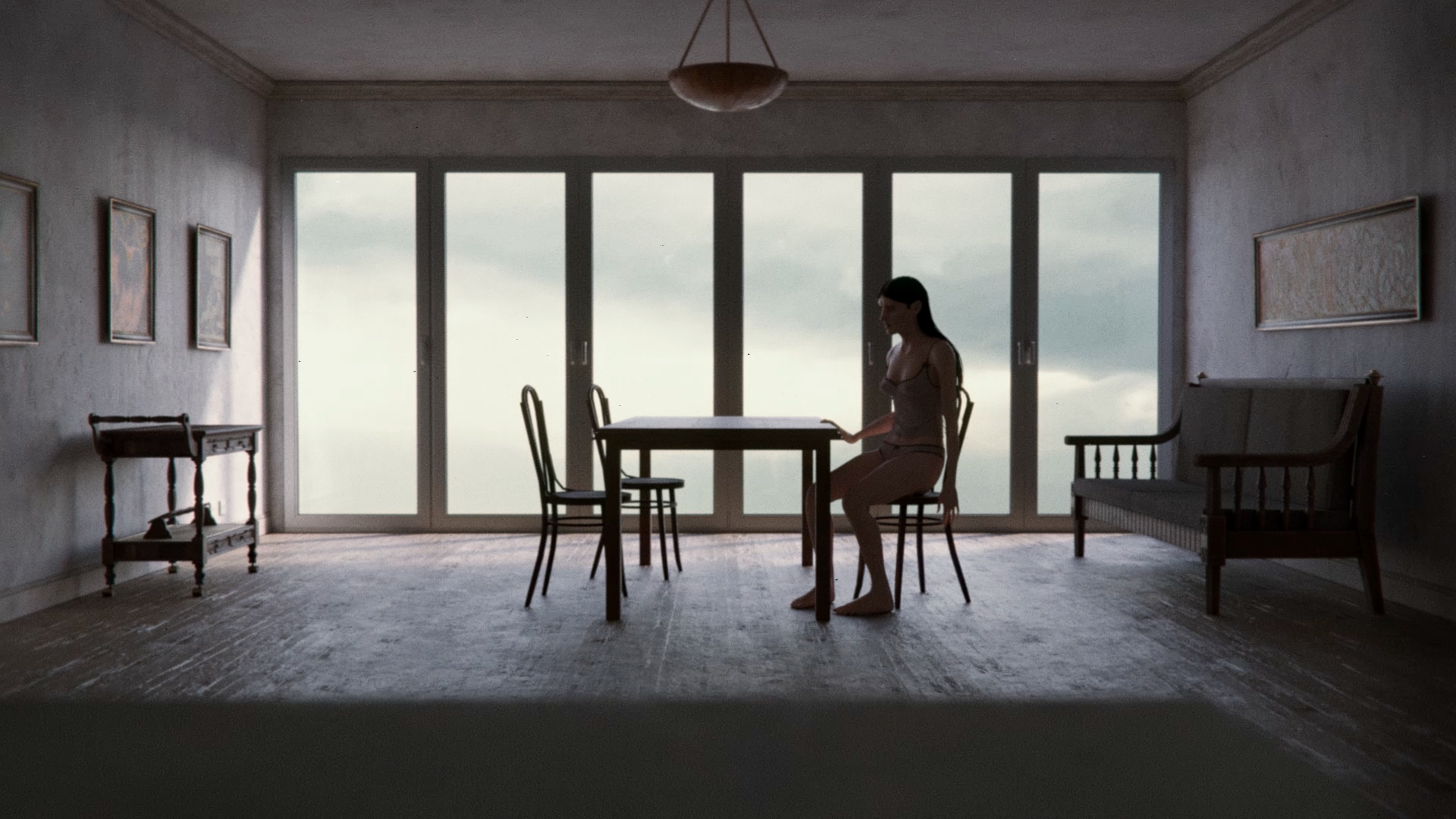
This 3D character workflow guide breaks down the technical pipeline behind Eve’s creation.
To build the character, we used the following software:
From early modeling and sculpting to shading, rigging, and final rendering, we’ll take a closer look at the tools, workflows, and practical decisions that shaped her from a written idea into a fully realized digital character for the short film.
For a look at the narrative inspiration and character philosophy, read our Creative Process breakdown.
Early Concept Development
Every character pipeline starts long before opening any 3D software. For Eve, the foundation was laid in the script and early development sketches, where the goal was to translate a subjective, psychological horror experience into a visually readable character.

Because Apple Rot leans heavily into atmosphere, Eve needed to communicate emotion through presence alone. Her design had to feel grounded enough to be human, yet subtly “off” to support the film’s unsettling tone.
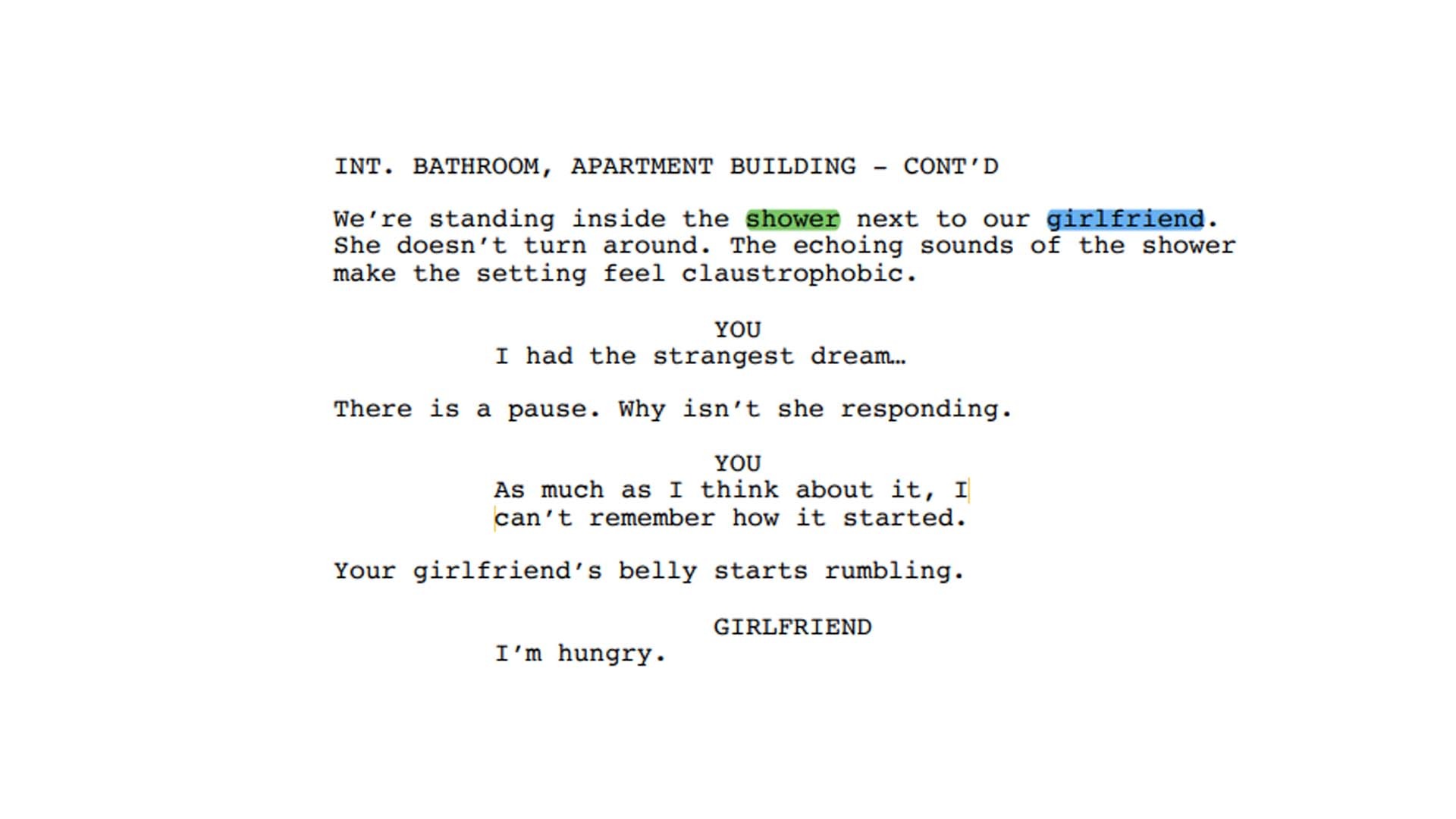
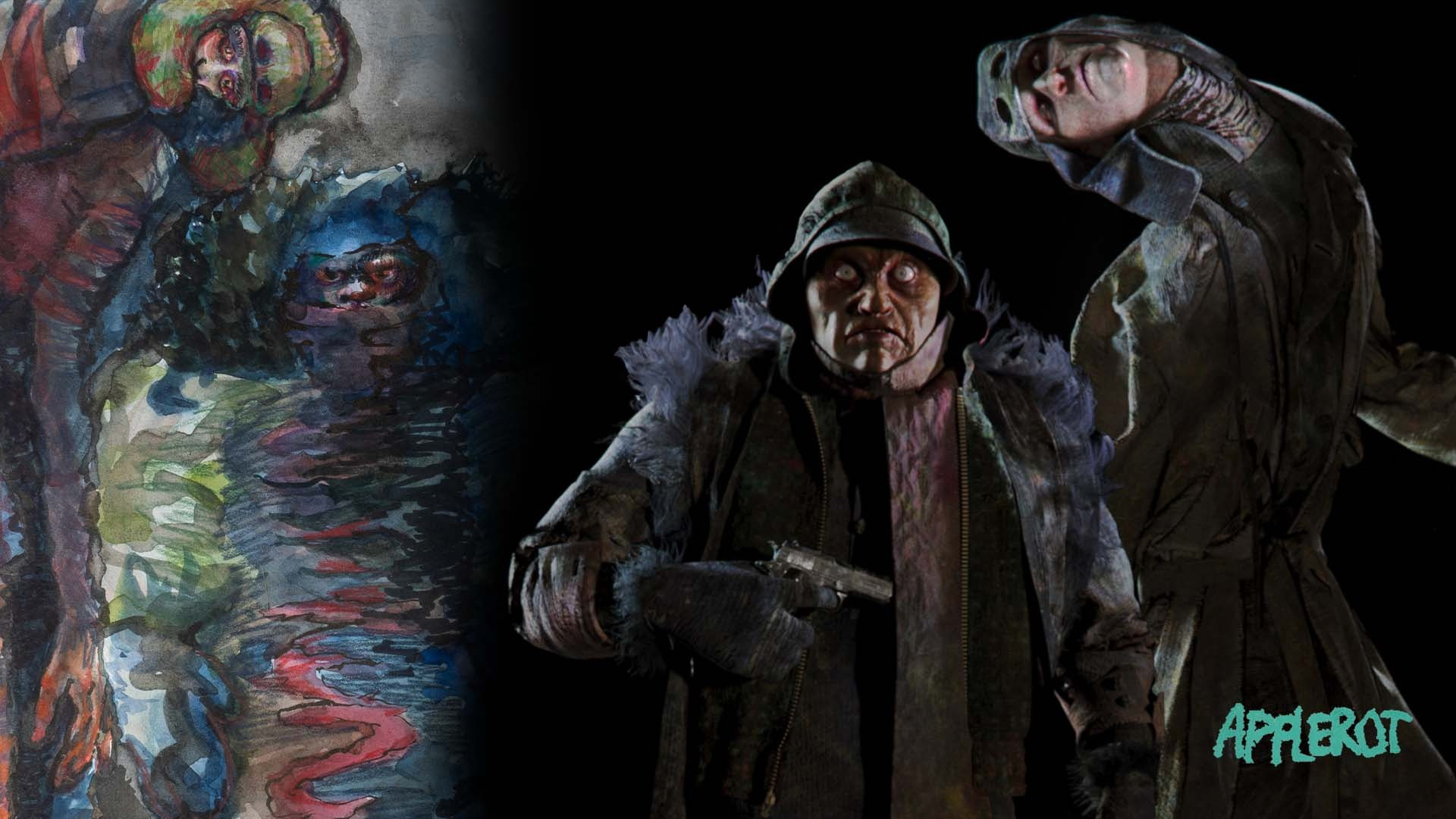
First sketches were made in pencil on paper, exploring proportion, posture and defining Eve’s characteristics. Ab Wienk’s Eve Concept Art portrays a more haunted version of the character. Initial research and development (R&D) established the specific visual anchors for Eve’s facial features and wardrobe.
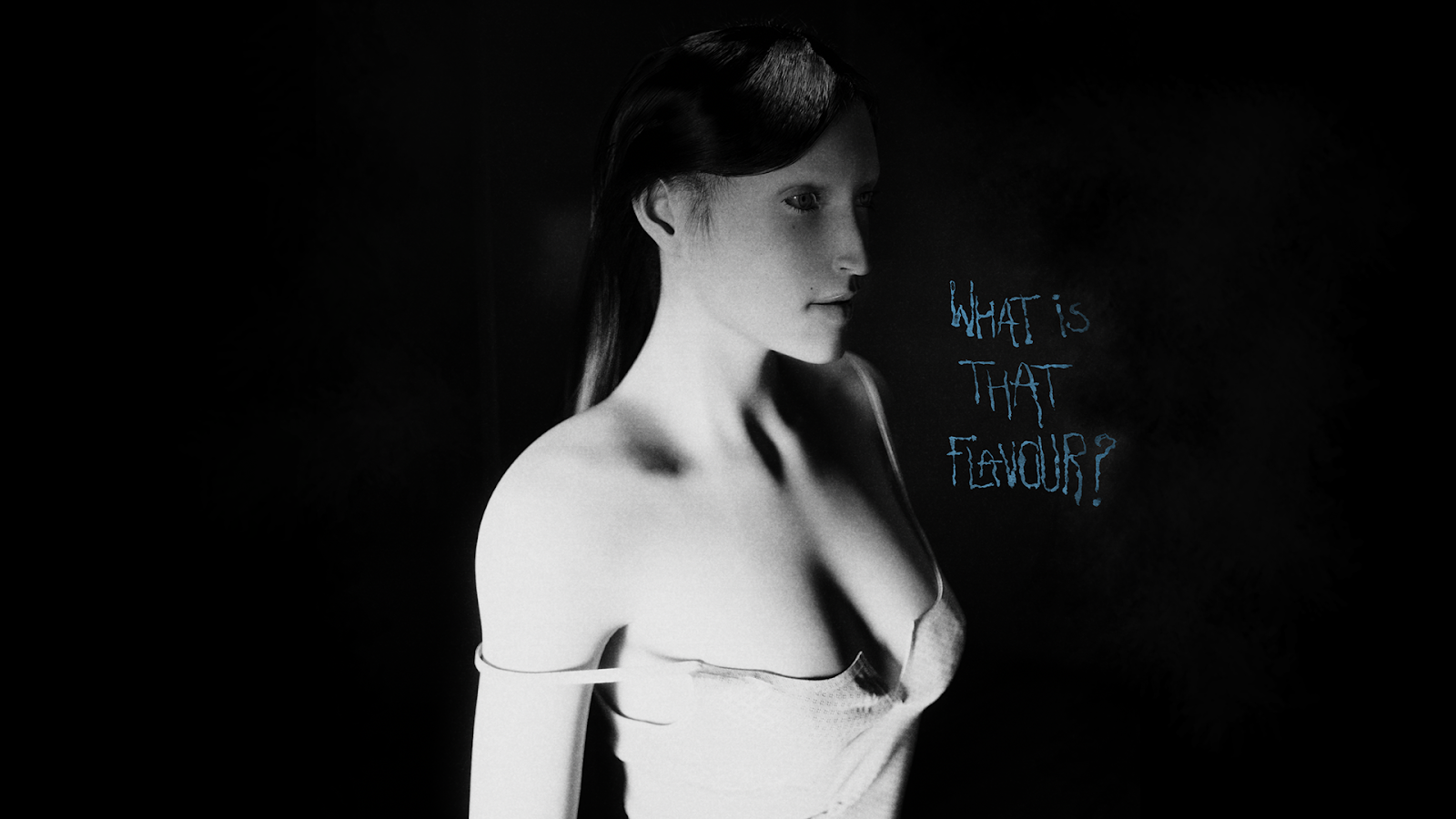
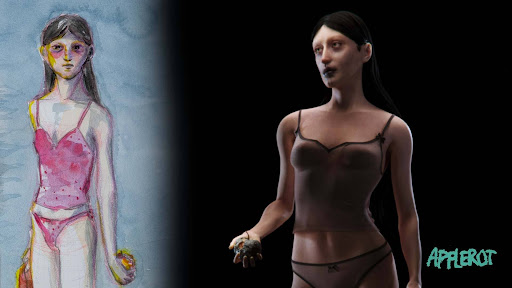
A final character painting was made by Charlotte, which most closely matches what the final design ended up looking like. This painting was later a principal reference for the texturing phase.

The Sculpting Phase in Zbrush
Translating a 2D concept into a 3D character is where design decisions are put to the test. This stage is where artistic intent and technical discipline intersect. Every sculpting decision needed to support both the emotional tone and the downstream requirements.
The base for Eve was made using the Human Generator Blender add-on. This add-on streamlines the process of creating a custom, rigged character. For her face, rather than introducing extreme distortions, we exaggerated specific elements such as her wide eye-sockets to achieve a subtle uncanny valley.
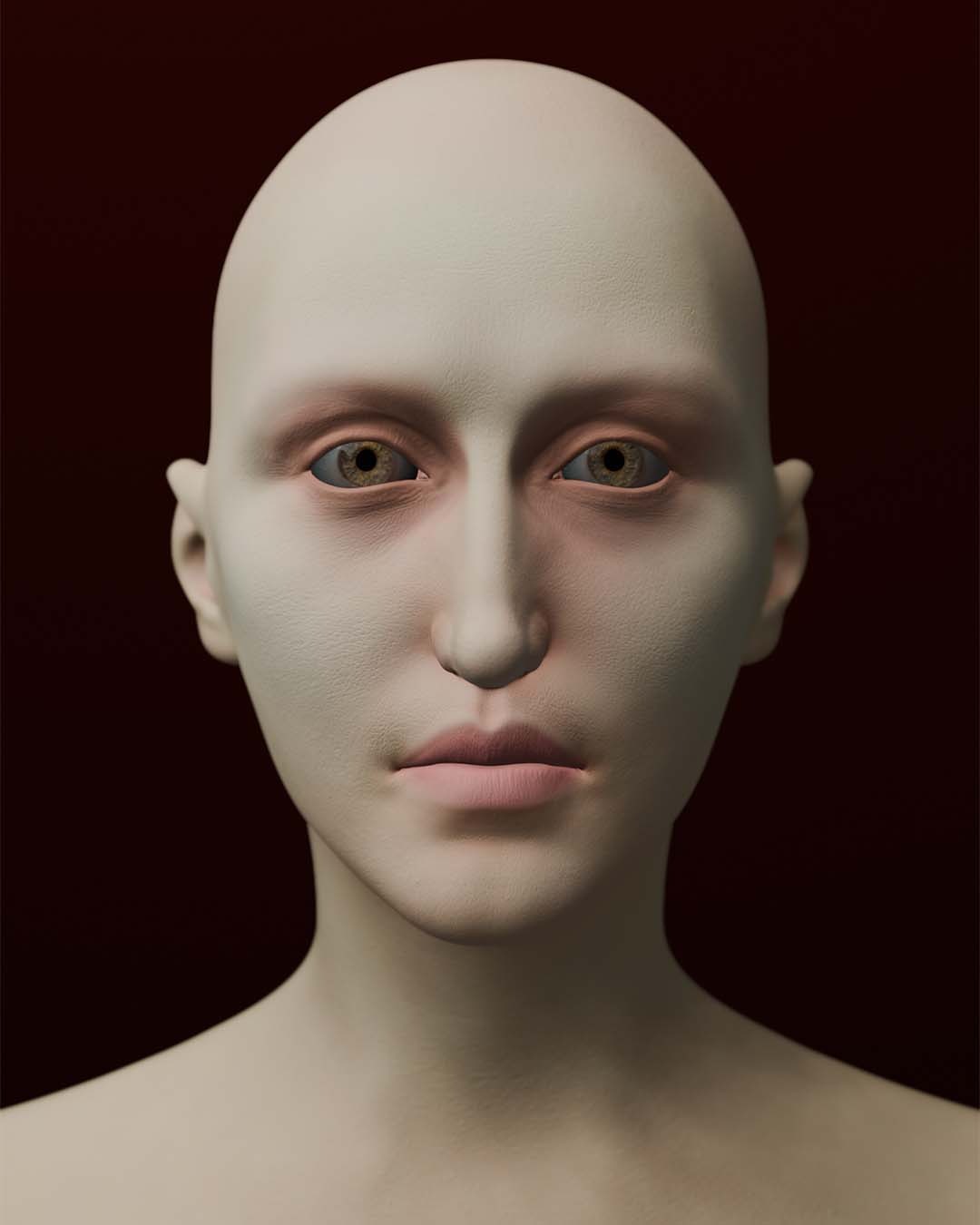

I sculpted high-fidelity skin textures in ZBrush, using the JHill skin textures brush set to achieve realistic micro-details. From ZBrush we extracted the normal and height maps, which we could use in the texturing and shading process.
Eve’s sleepless eyes almost mirror the two demons. Slowly, she is turning into something they are…
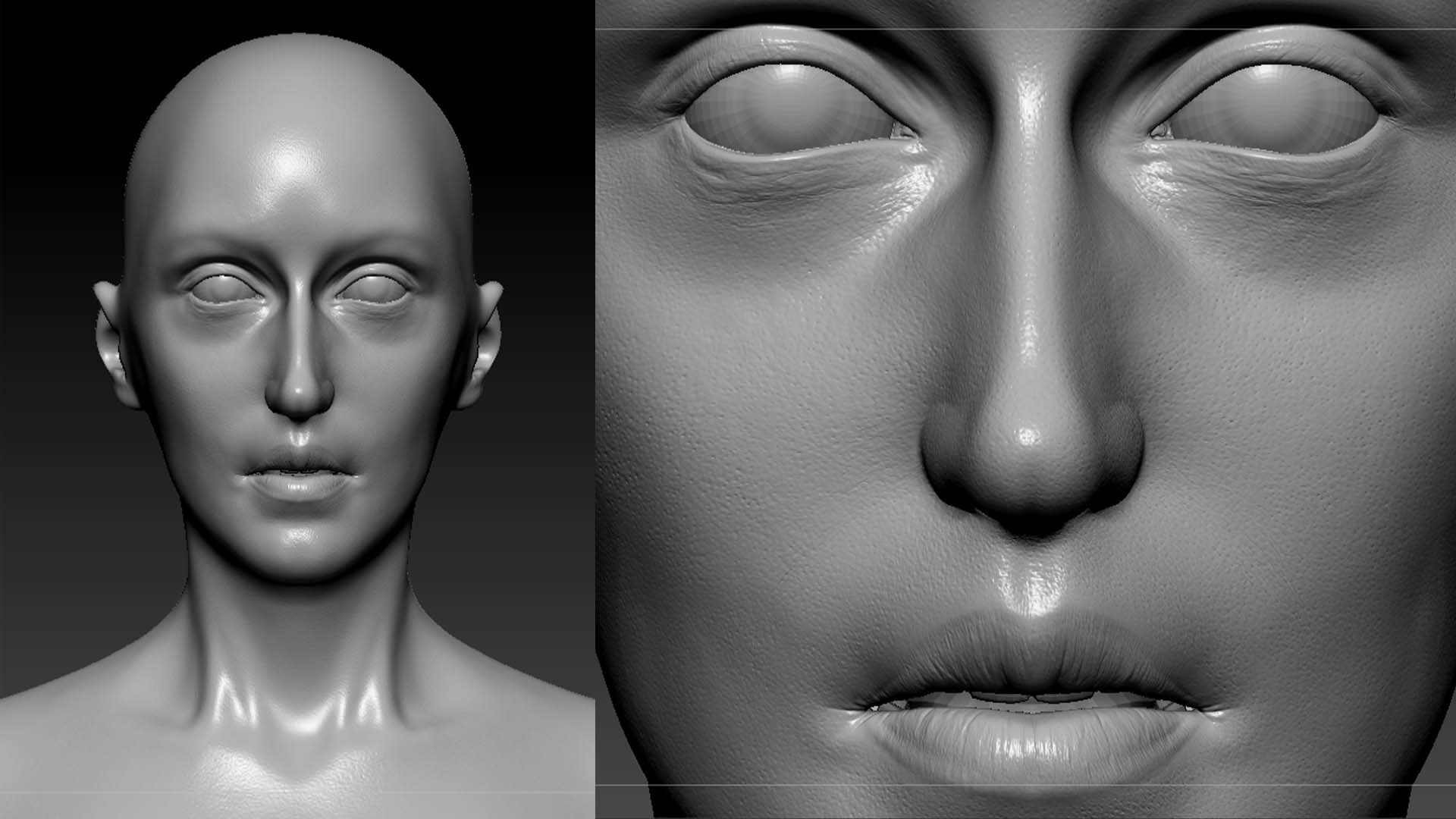
HD Geometry is a great way to achieve a higher level of resolution. High resolution microdetails such as pores and fine lines can be made with the HD Geometry workflow.


3D Costume Design with Style3D
Using Style3D Atelier, Eve’s costume was modeled and simulated.
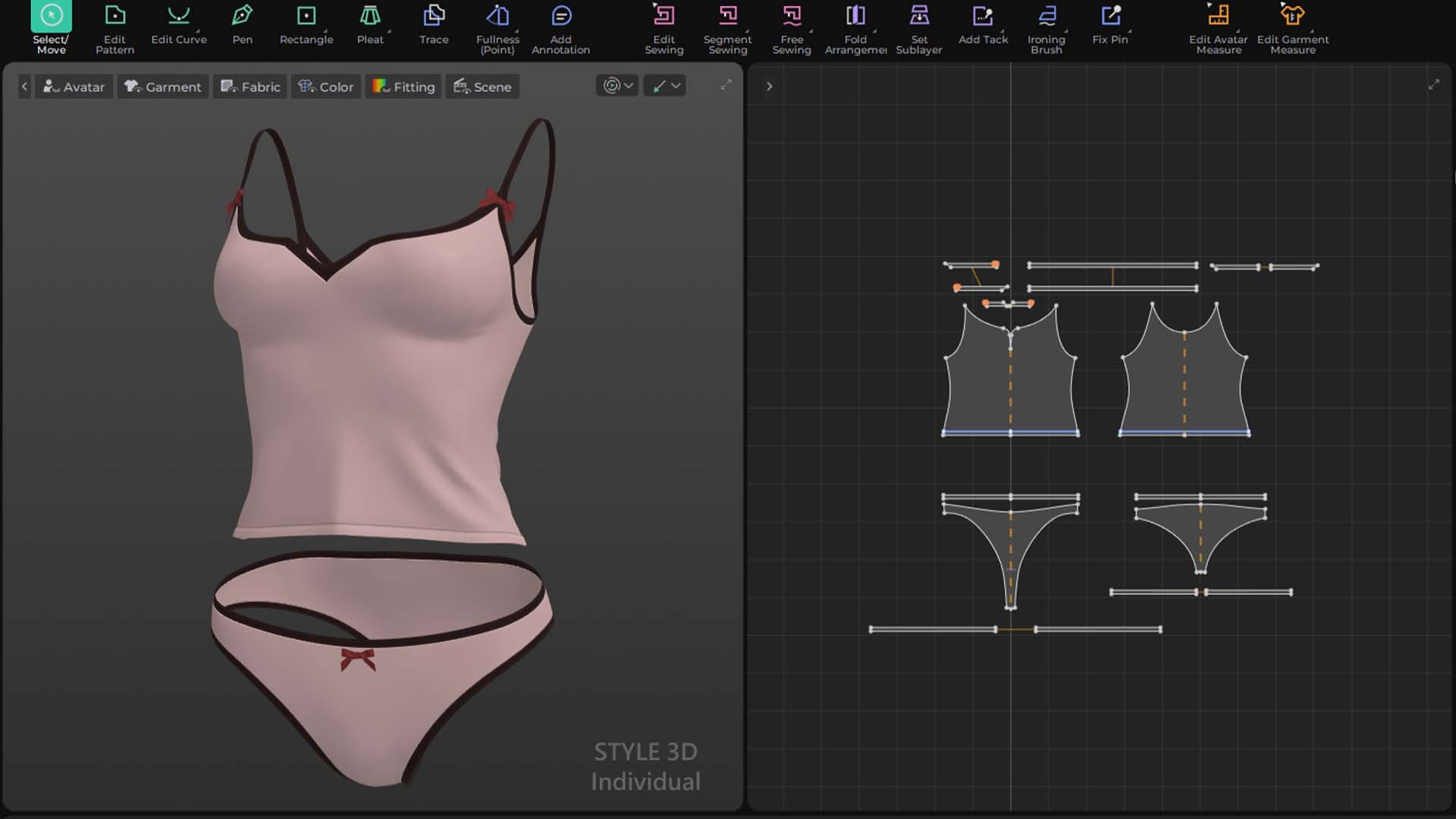
I made sure the top wasn’t too skin-tight. We weren’t going to run the costumes through a retopology and ZBrush pipeline. The extra material around the waist makes sure that the top has some materiality straight out of Style3D.

This costume would only be visible in the film once, when Eve’s sitting at the breakfast table. And even then, we knew it’d be out of focus. To provide a subtle visual interest within the final composition, I added small bows to the briefs and top.
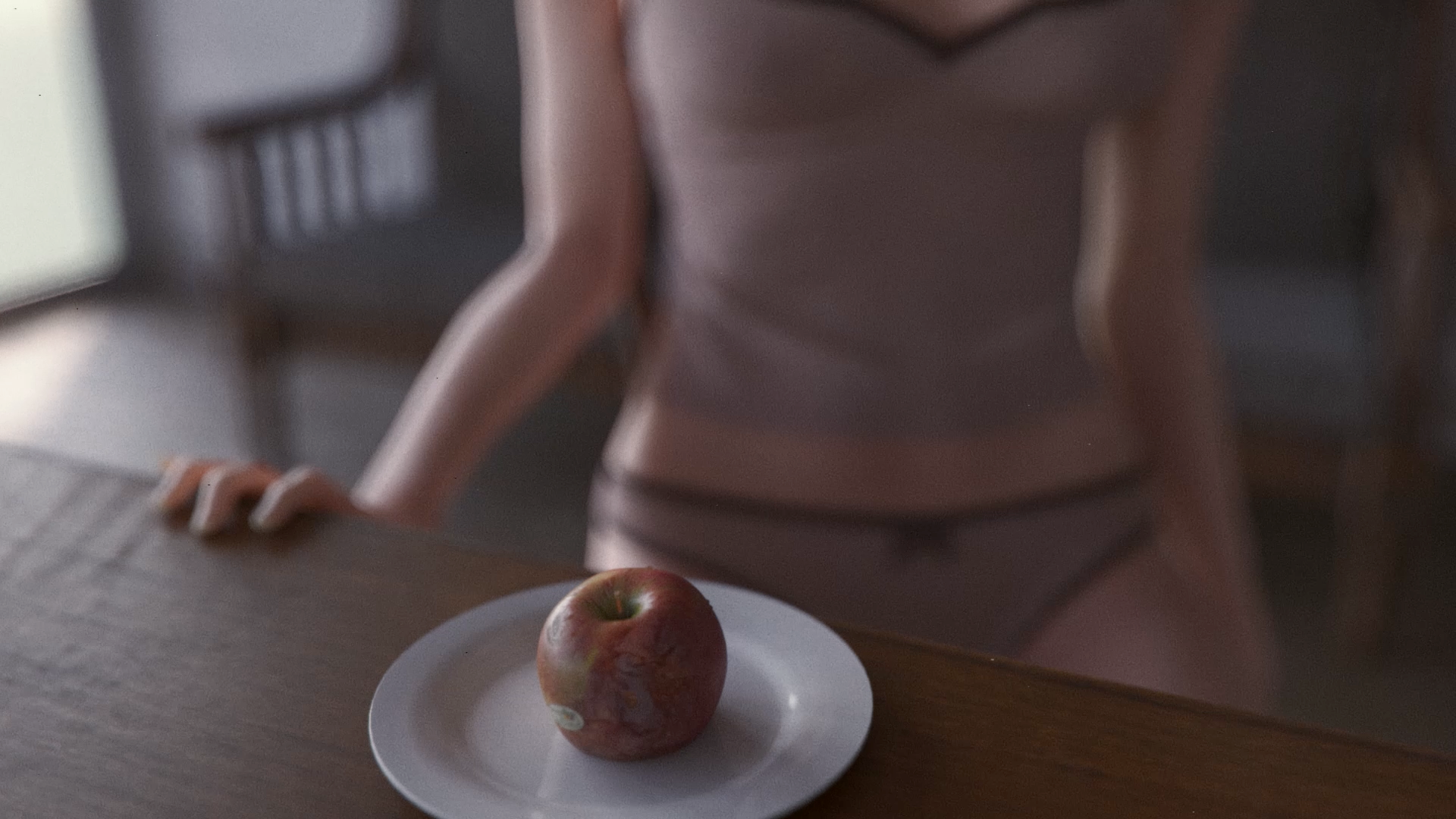
After finishing the costume construction, I moved on to create the character’s hair groom.
Hair Modeling in Blender
Eve’s hair was created directly in Blender using Blender’s Hair Particle system. Eve’s hair was adjusted for each of her three scenes. I made three versions of the groom; to fit her pose in bed, in the shower and at the kitchen table. These adjustments were quick and easy to make with this set-up.


As Eve doesn’t move much, we could get away with not simulating the hair. This also kept the final file size manageable and saved some render costs. And as with most shots in the film, we considered most of it would be out-of-focus.

Though this pipeline is not ideal for characters with dynamic animation, it did the job for what we were after. This way, we were able to maintain visual quality while keeping the pipeline efficient.
Texturing Skin and Cloth
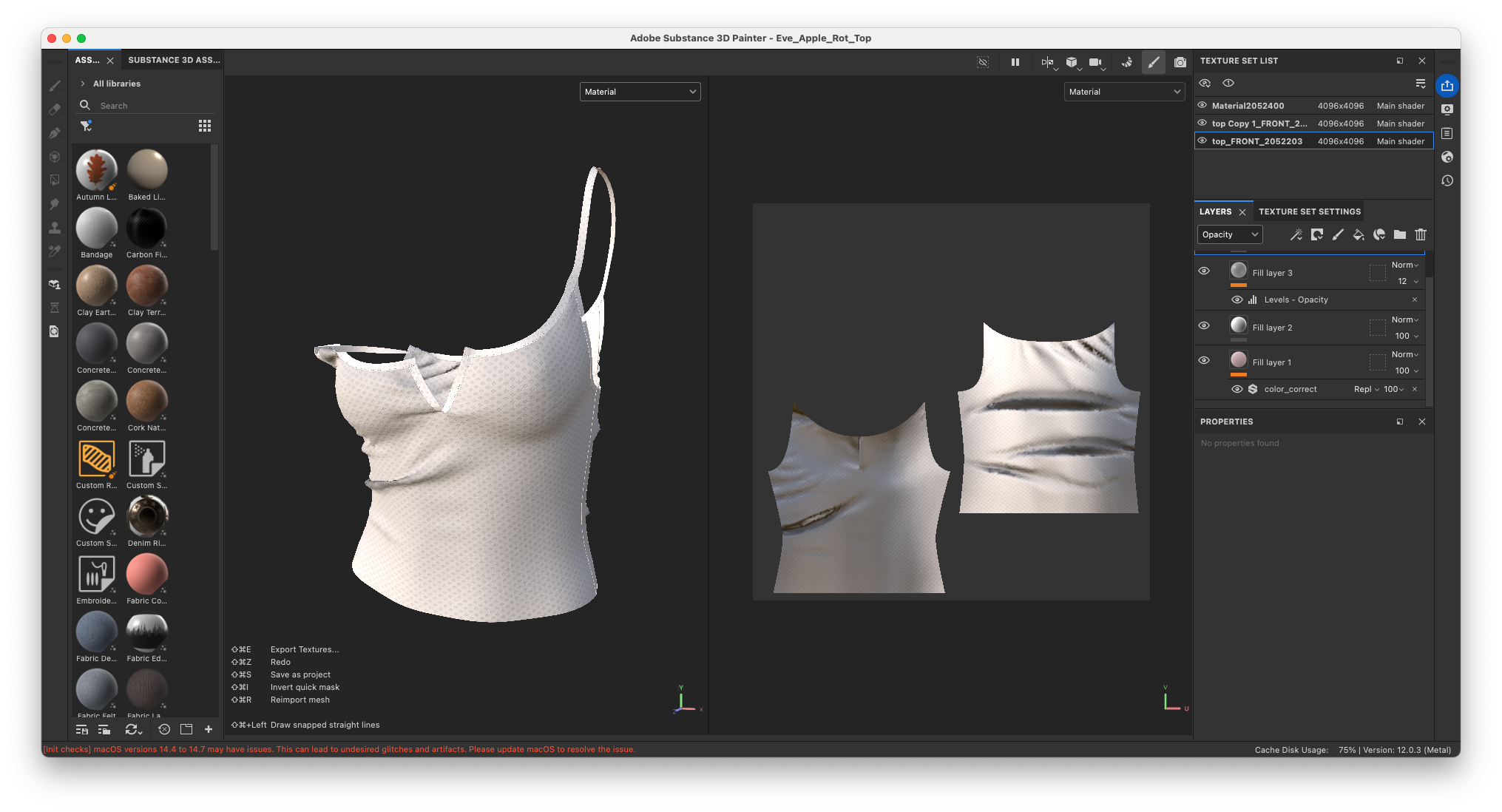
Our texturing workflow for skin and garments both used Substance Painter 3D to balance PBR materials and handpainted details.
The Apple Rot case study goes into great depth about how the various layers for skin and cloth are built inside Substance Painter.
For Eve’s skin specifically, we paid extra attention to the colours around her eyes. Her lips are slightly colourless too. Additional purple shading was used to shade cavities and create a hollow and creepy complexion.

Bakermat Antwerp offers a wide variety of high-quality textile texture scans. We used one of their Japanese cotton jerseys for the pink material of Eve’s costume. The brown seamtape and red bows are plain cotton.

Lookdev inside Chaos Corona
The final 3D animation was assembled in Cinema 4D and rendered using the Chaos Corona engine for physical accuracy.
Before rendering, all materials shaders will have to be optimised for the render engine. Corona Renderer is a physically accurate render engine. Parameters such as sheen, roughness and subsurface scattering will have to be tweaked and perfected in-engine to create the best results.
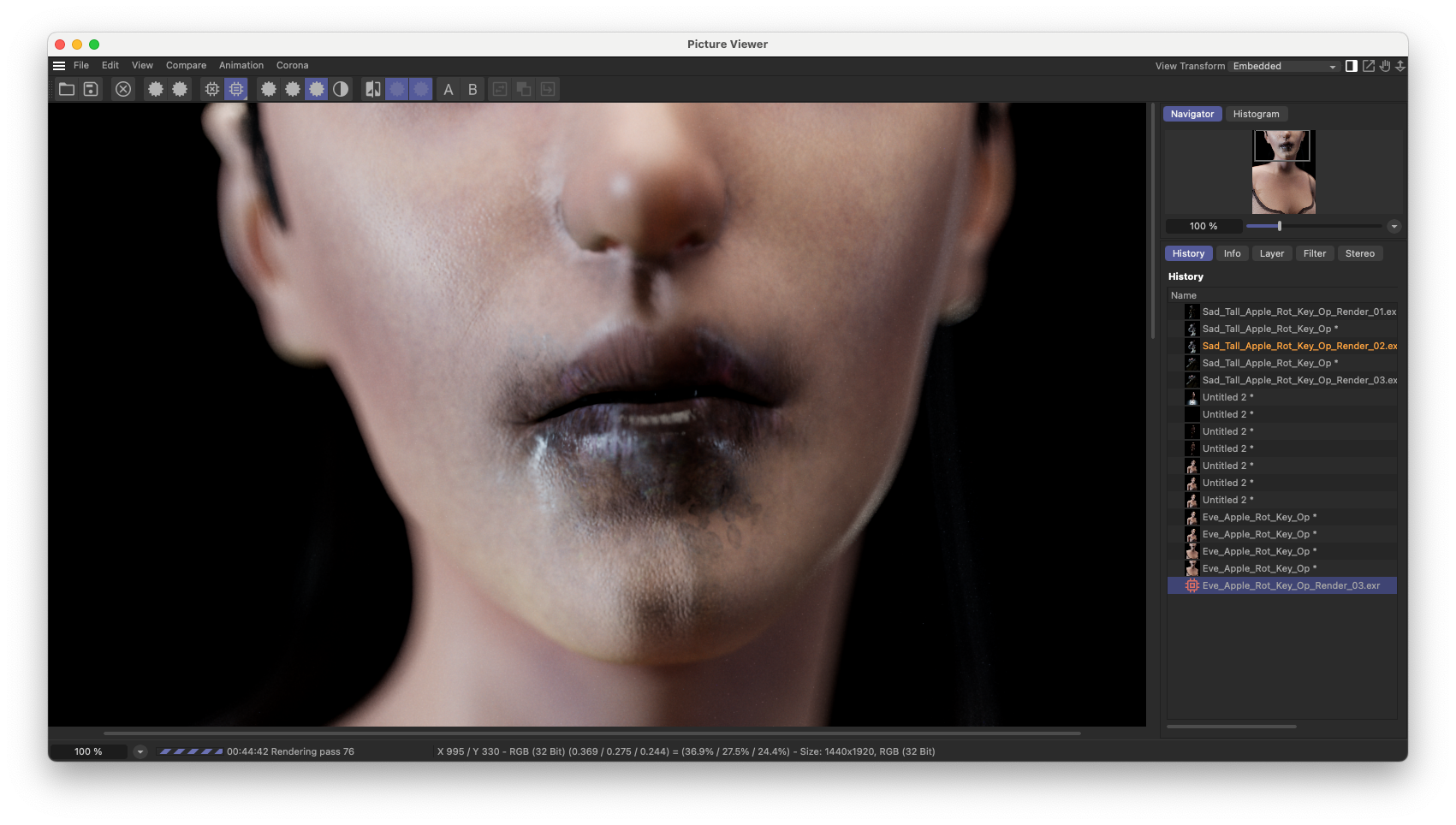
Colours can, for example, be less saturated in-engine, compared to the Substance Painter viewport. We had to lookdev such things before rendering.

The Rigging and Animation Pipeline
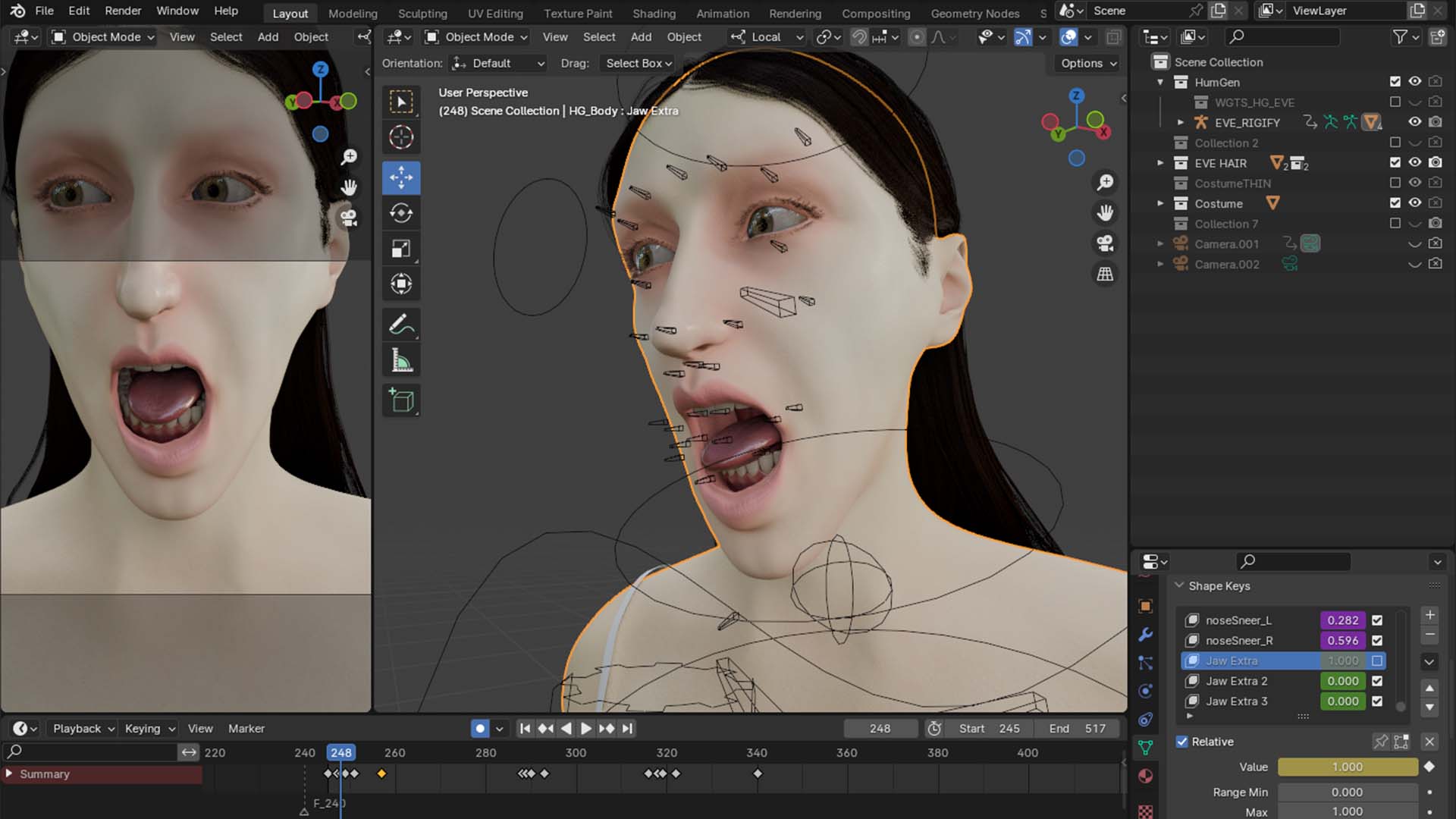
All rigging and animation for Eve was done in Blender. The Human Generator plugin offers a one-click solution to convert their rig into a Rigify rig.

We shot reference footage of ourselves acting out the scenes. A frame counter was added to the reference footage, after which we proceeded to add markers in key moments. Making Eve react to the dialogue in the scene was a matter of good timing. We were able to tweak the timing of the dialogue in post-production too, as re-rendering scenes would’ve been extremely time and cost intensive.
The animation was done to-camera, meaning stylistic decisions were made based on what would be shown in the final shot. In some situations, we let this work in our favour. Eve’s got one line of dialogue in the film, but her back’s conveniently turned to the camera when she delivers that line. Decisions such as those eliminated the need for complicated lip animation.
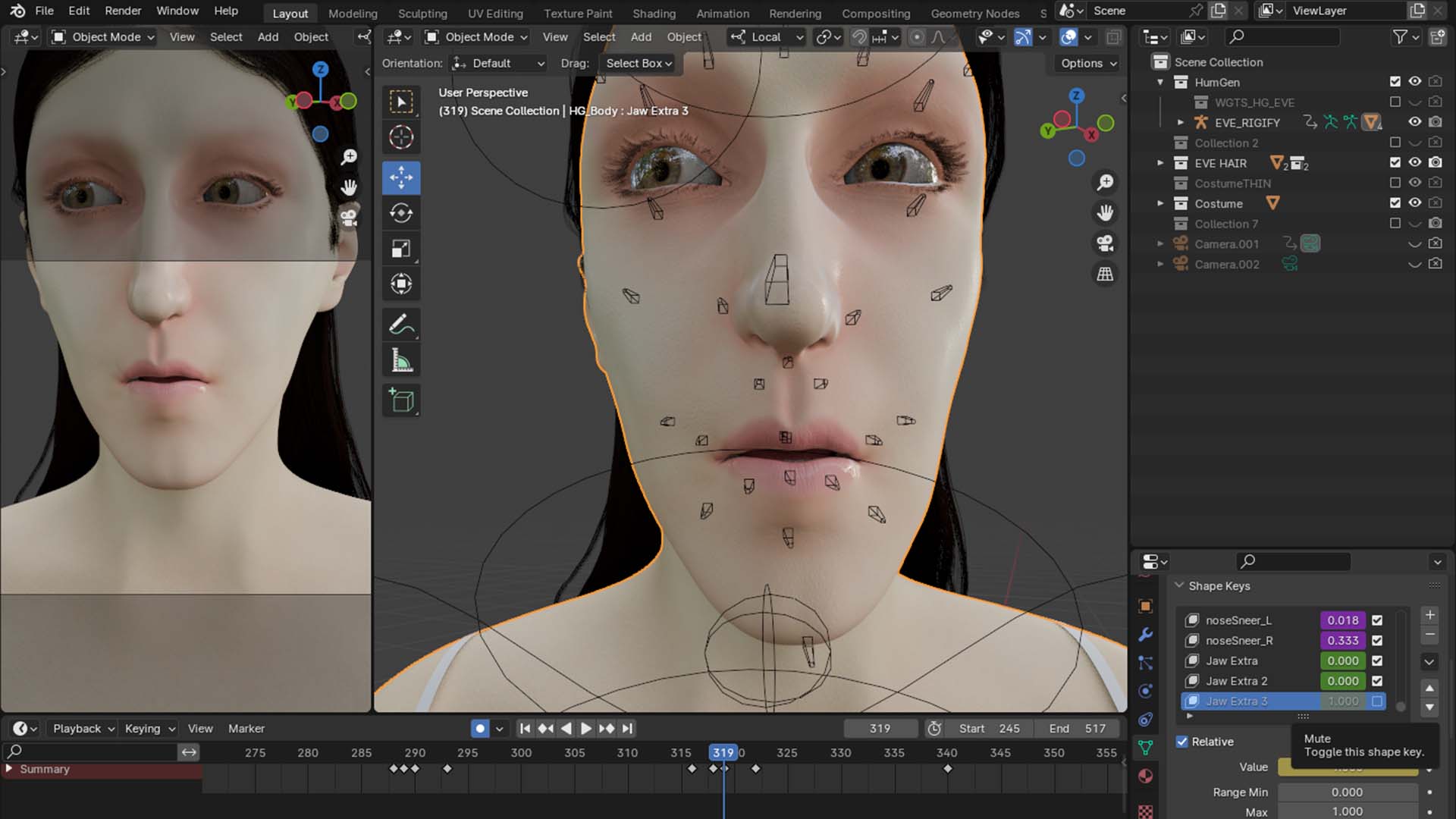
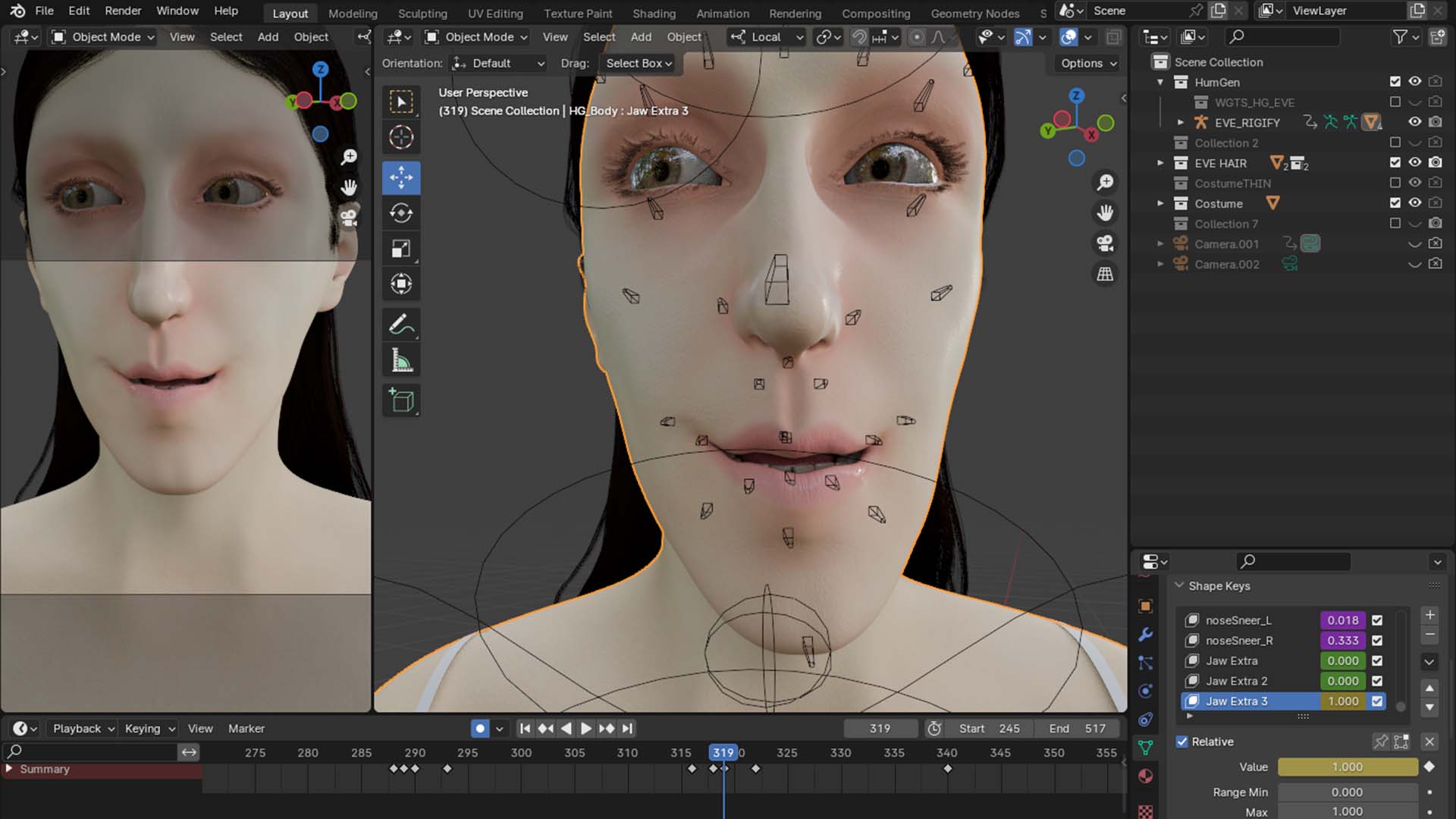
For example, in the final scene when Eve is eating the apple, we used Shape Keys to exaggerate her mouth movements. This was a great way to distort her face and hit that uncanny valley.

Lighting and Final Render
The atmosphere of Apple Rot lives somewhere in between dreamy and naturalistic. This is a tricky balance to get right. Especially as we didn’t want to create a stylized look.
Every scene started with understanding the context and mise-en-scene. The bedroom, for example, is primarily made up white walls and white objects. This means that when strategically placing the lights there will be enough bounce-light to fill the space with light. However, to reintroduce contrast we can use a negative fill. Thus giving us lots of control to achieve the look we want.
To achieve the cold blue colors in the environment we’re using a custom HDRI made with a night-time matte-painting created by Ab Wienk.
The lights are placed strategically to create a rimlight on Eve and her blanket. Then secondary smaller lights are placed right above the camera facing her black hair. This is what gives her hair a slight sheen as well. Together, it creates enough contrast to be readable while maintaining the darkness we were aiming for.


The same principles are applied to the shot in the hallway. We are looking for visual contrast between the bright interior of the bathroom and the darkness in the hallway. To create a naturalistic balance of the light you can create contrast between the lighting direction in the foreground and the background. The bathroom lighting is coming from the right side, just outside of the camera view. This is a large softbox that illuminates the entire bathroom with a soft lighting.
In the hallway we want to maintain the darkness while using smaller lights to accentuate the details of the door. The “secondary keylight” for the hallway is coming from the left side of the camera. This creates a subtle sandwich of light focusing our eyes on what lies in the middle, while maintaining enough visual interest for your eyes to wander.


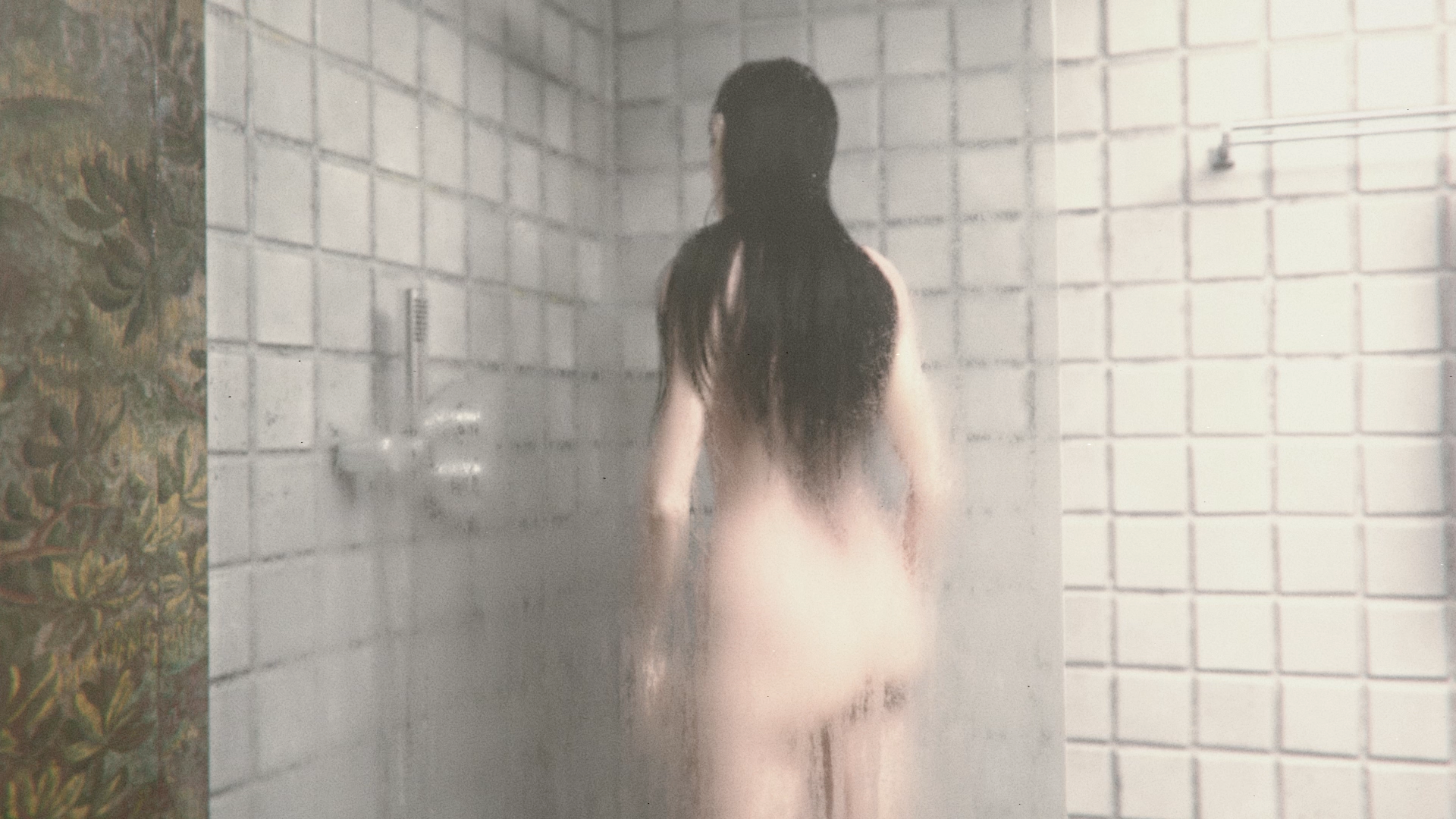
From a technical standpoint we make sure that every light we use is not a flat color but an .hdr or .exr image texture. This gives the light a variation of colors that makes the result feel much more naturalistic. Finally, every light is using a .ies file to control the spread variation. The more variation that exists, however subtle they may be, the more visual interest you will create.
Conclusion: The Short Film
Apple Rot was a true test of our collective skills: of what we could achieve with our current tools and skills. The vision was deliberately achievable, but this didn’t mean there weren’t challenges along the way. From figuring out a complete character pipeline to optimizing the scenes for our hardware capabilities. Every step of the process required us to solve problems effectively without compromising on the vision.
In the end, we truly believe we created something to be proud of. Apple Rot turned out as odd and unsettling as we imagined it to be, and we are so thankful for every crew member involved along the way.
And we’re even more proud to be able to share Apple Rot with you, here on our own platform.
Follow this link to watch Apple Rot, directly on blauwfilms.com


Reading List
References


.png)






%20by%20Ivan%20Aivazovsky.jpg)




0 Comments